

Extension Development
Turbo Browser is Chromium-based, so extension development follows the same model as Chrome. Use the Extensions page to load, debug, and pack extensions.
Open the Extensions page
Enter in the address bar:
chrome://extensionsOr go to Menu → Extensions → Manage extensions.
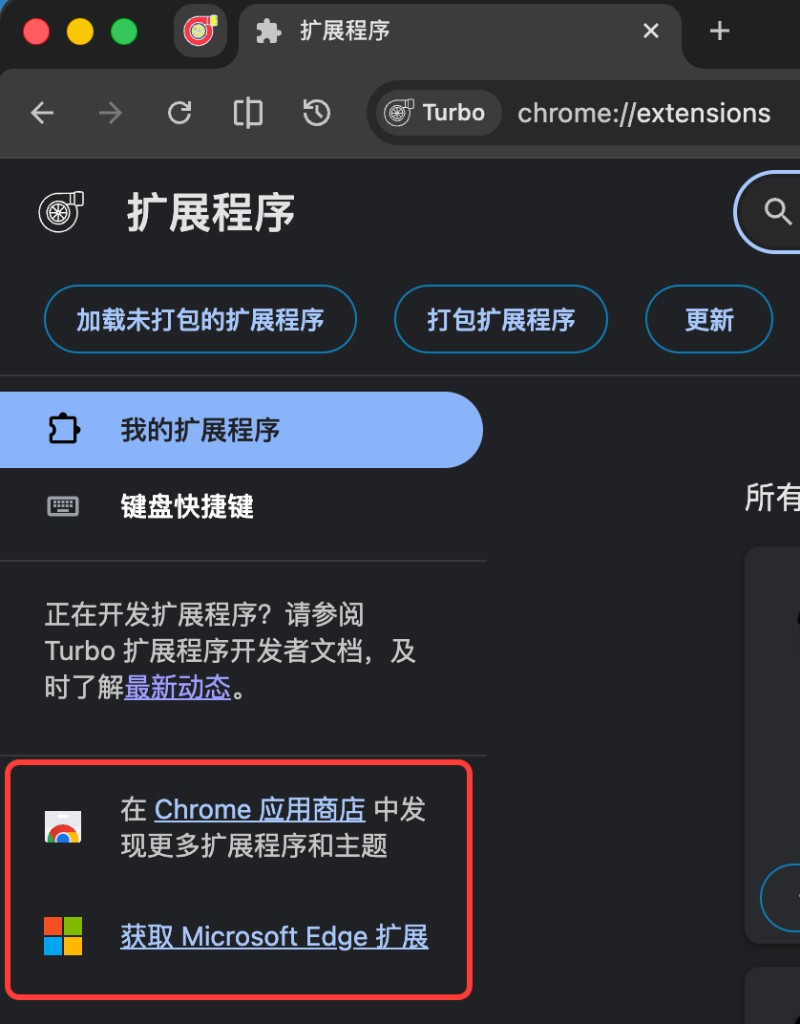
Developer actions
The top of the Extensions page provides common development tools:
| Action | Description |
|---|---|
| Load unpacked | Point to a local extension source folder for development |
| Pack extension | Create a .crx or .pem key file |
| Update | Reload loaded extensions |
TIP
Loading unpacked extensions usually requires Developer mode (toggle on the page — exact UI may vary).
Developer documentation
The Extensions page sidebar links to Turbo extension developer documentation for APIs and updates.
Publish and install
When ready, you can distribute extensions by:
- Submitting to the Chrome Web Store or Microsoft Edge Add-ons (links at the bottom of the Extensions page)
- Packing as
.crxand installing in Turbo
See Extensions for store entry points.
Compatibility
Turbo Browser supports most Chrome extension APIs and Manifest V3 extensions; Manifest V2 extensions from the Edge Add-ons store remain installable. Extensions that rely on Chrome-only services or unsupported APIs may not work — test on your target Turbo build.