

Migrate from Chrome to Turbo Browser
Yes. Turbo Browser is Chromium-based and supports one-click import from Chrome — bookmarks, passwords, autofill, and extensions (extensions depend on the current version). Keep Chromium-level web compatibility while gaining built-in mouse gestures, a boss key, and screenshots.
Migration usually takes 3–5 minutes — no manual HTML bookmark export needed.
What can be migrated?
| Item | Supported | Notes |
|---|---|---|
| Bookmarks / favorites | ✅ | Includes bookmark bar and folder structure |
| Passwords | ✅ | Synced and local passwords saved in Chrome |
| Autofill | ✅ | Forms, addresses, and other autofill data |
| Extensions | ⚠️ | Depends on settings UI; some may need reinstall from the store |
| Browsing history | ❌ | Use Chrome sync or back up separately |
| User scripts / profiles | ❌ | Reconfigure in Turbo |
TIP
If you already sync Chrome with a Google account, you can also sign in with your Google account in Turbo to pull cloud data. See Sync.
Steps
1. Install Turbo Browser
If not installed yet, download the Windows or macOS package from Download & install.
2. Open the import wizard
Use either entry:
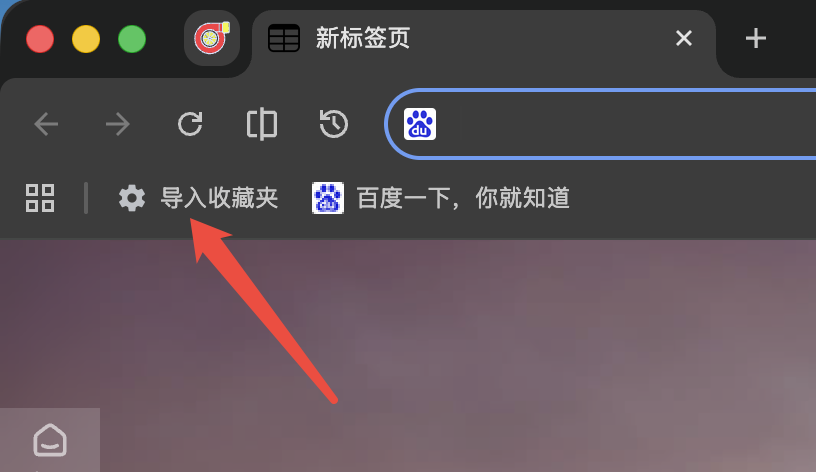
Entry A — Bookmarks bar
Click Import bookmarks on the bookmarks bar:
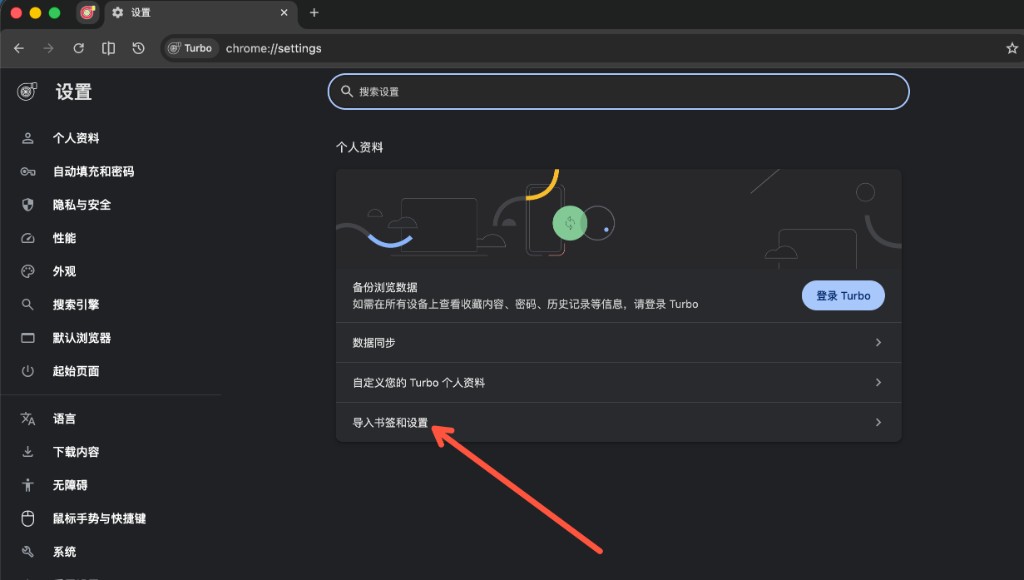
Entry B — Settings
Open Settings → Profile → Import bookmarks and settings:
3. Select Chrome and choose items
- Choose Google Chrome in the source list.
- Check bookmarks, passwords, autofill, extensions, etc. as needed.
- Confirm and start import; wait for completion.
4. Sign in and sync (recommended)
After import, sign in with a Turbo account or Google account and enable Sync for multi-device use.
FAQ
Do Chrome and Turbo use a lot of disk space together?
They can be installed side by side. User data directories are separate — uninstalling one does not affect the other (unless you manually delete data).
Some extensions didn't migrate?
Some extensions can't auto-import due to permissions or Manifest differences. See Can Turbo install Chrome extensions?, or reinstall from the Chrome Web Store or Edge Add-ons, or use official .crx packages such as AdGuard and Immersive Translate.
Will it feel like Chrome after migration?
Web rendering, extension APIs, and DevTools are the same Chromium ecosystem; Turbo adds dual-account sync, built-in gestures/boss key/screenshots, and more. See How is Turbo different from Chrome?.
Import bookmarks only, not passwords?
Yes — check bookmarks only in the import wizard.
Can macOS users also import from Safari?
Yes — choose Safari in the import wizard for bookmarks. If Full Disk Access is missing, the wizard will guide you. See Data import.
Further reading
- Data import — full guide (includes Edge / Safari)
- How is Turbo different from Chrome?
- How is Turbo different from Edge?
- Quick start — recommended setup after import
- Download & install